
FIELD GUIDEMORTAL SHELL II
Mortal Shell II Difficulty Settings
Updated: . Sources checked: . Scope: post-launch official announcements; researched, not independently tested in-game. The cited posts do not state numeric build versions.
Where to change the setting
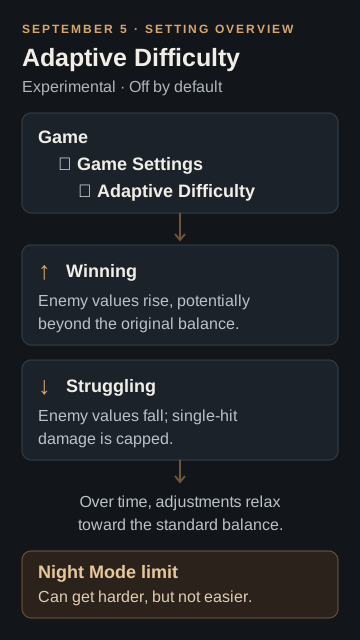
It is off by default. Enable or disable it at Game > Game Settings > Adaptive Difficulty, according to the September 5 official update.
How the adjustment works
- Winning raises enemy damage, health and break resistance, potentially beyond the original balance.
- Struggling lowers those values and caps single-hit damage, preventing a kill from full health under these reductions.
- Adjustments gradually relax toward the standard balance over time.
Night Mode has a separate limit
According to the September 5 post, the reductions do not apply in Night Mode: Adaptive Difficulty can make it harder, but cannot make it easier.
September 24: difficulty indicators
The September 24 hotfix added tier UI, revised Adaptive Difficulty icons and a clearer Night Mode icon. This is a later interface update, separate from the setting's introduction.
Supporting video and related guides
Raddland's September 7 video discusses the setting at 0:33–0:51. Use it as a dated reference; its recording is not a check of your installed version. See the selected official patch summaries for update context and the beginner guide for general tips.